LinkedIn Integration
Why Integrate LinkedIn with Recotap?
- Launch Campaigns:
- Automation and Scalability: Streamline your campaign workflows with Recotap’s automation capabilities, enabling you to personalize your LinkedIn campaigns and scale effortlessly.
- Campaign Delivery: Directly push campaigns created in Recotap to LinkedIn Campaign Manager for seamless ad delivery.
- Targeting Precision: Use LinkedIn’s audience targeting capabilities (job titles, seniority, industries) to enhance campaign reach and impact.
- Simplified Management: Gain a consolidated view of account performance by managing all LinkedIn campaigns directly within Recotap.
- Sync Data from LinkedIn:
- Ad Performance Metrics: Retrieve key data points like impressions, clicks, and conversions to analyze campaign performance.
- Audience Insights: Track engagement metrics for target accounts, helping refine strategies and scoring models.
LinkedIn integration is a mandatory step to ensure seamless campaign delivery and robust data synchronization.
How to Connect Your LinkedIn Ad Account With Recotap
- Navigate to Integrations:
- Login to your Recotap account.
- In the Client Panel, go to Settings Icon > Workspace > Integrations.
- Connect Your LinkedIn Account:
- Click on the LinkedIn dialogue box and select Connect.
- You’ll be redirected to LinkedIn’s login page.
- Enter your credentials and select Log In.
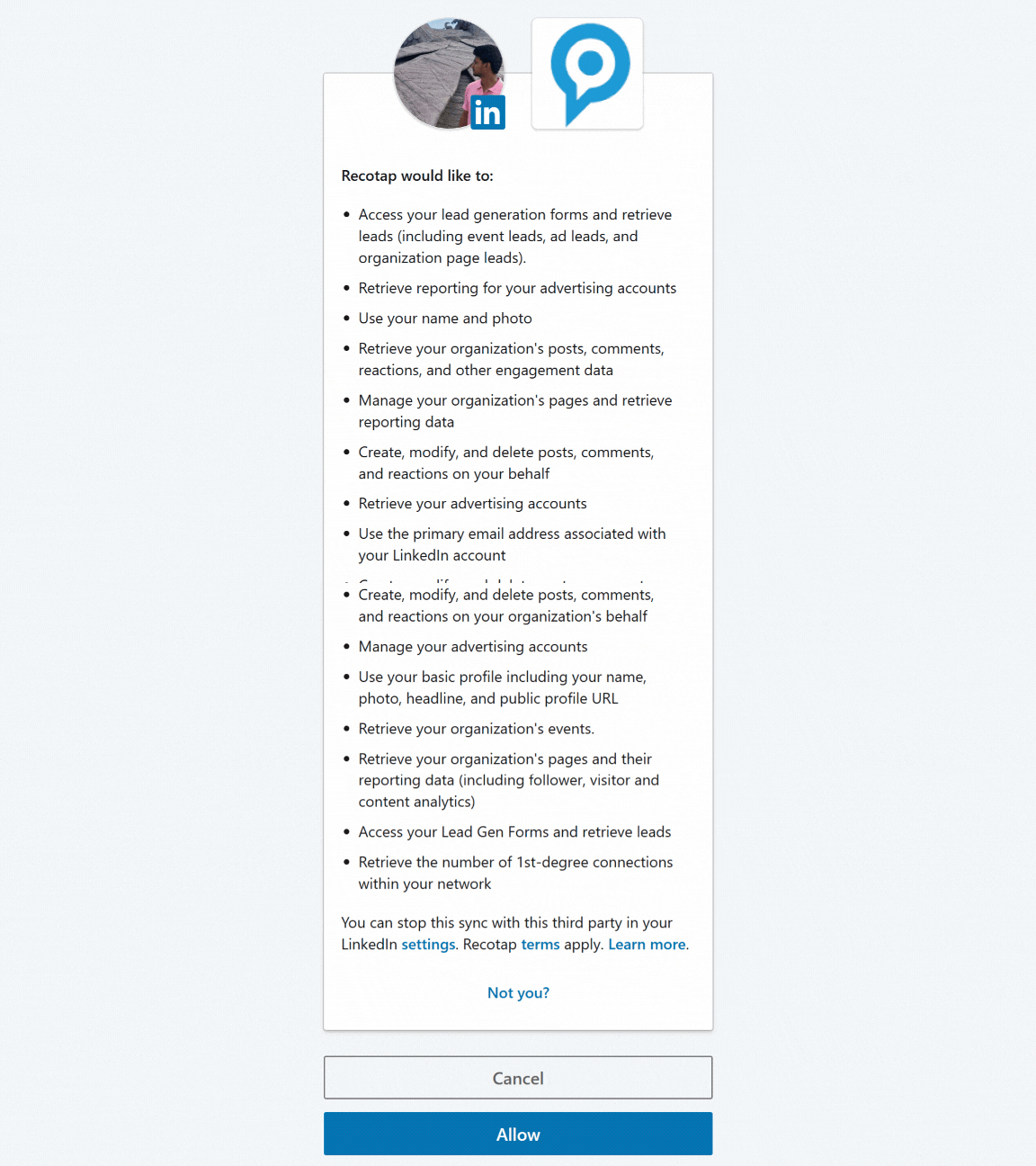
- Click Accept to authorize access.
- Configure the Ad Account:
- You’ll be taken to the Configure LinkedIn page in Recotap.
- Select the ad account under your LinkedIn Manager from the dropdown where you wish to run your campaigns.
- Click Save to finalize the setup.
- Integration Complete:
- LinkedIn will now appear as Connected in Recotap.
Common Issue: LinkedIn Ad Account Not Showing Up?
If your LinkedIn ad account isn’t appearing in the dropdown - don’t worry, it’s a common one!
This usually happens when your ad account uses a different billing currency.
By default, Recotap supports USD-based ad accounts.
If your ad account is billed in INR (or any other currency), it won’t automatically show up in the list.
👉 How to fix it:
Reach out to our team and request to have your workspace marked for INR billing.
Once updated, your ad account will appear in the dropdown and you’ll be able to connect it seamlessly.
Handling LinkedIn Ad Account Token Expiry
When your LinkedIn Ad Account token expires, the integration is disrupted, affecting campaign management and performance tracking. Here’s how to fix it:
- A red warning banner appears at the top of the screen with the below message:
- "Warning! Your LinkedIn Ad Account token has expired. Regenerate now."
- Steps to Regenerate the Token:
- Navigate to the Integrations Dashboard in Recotap.
- The LinkedIn integration tile will display an error message:
- Click the Regenerate button.
"Your account token has expired, please regenerate."
- Re-authenticate with LinkedIn:
- Log in to LinkedIn again and follow the same integration steps as above.
- Verify the Connection:
- Ensure the LinkedIn tile shows Connected status after regenerating the token.
LinkedIn Campaign Manager authorization tokens typically expire after 60 days. This is a standard security measure to ensure account safety and requires re-authentication periodically.
 Made with Bullet